Salesforce CRM Migration
Move from Salesforce to ServiceNow without discovering problems after GoLive
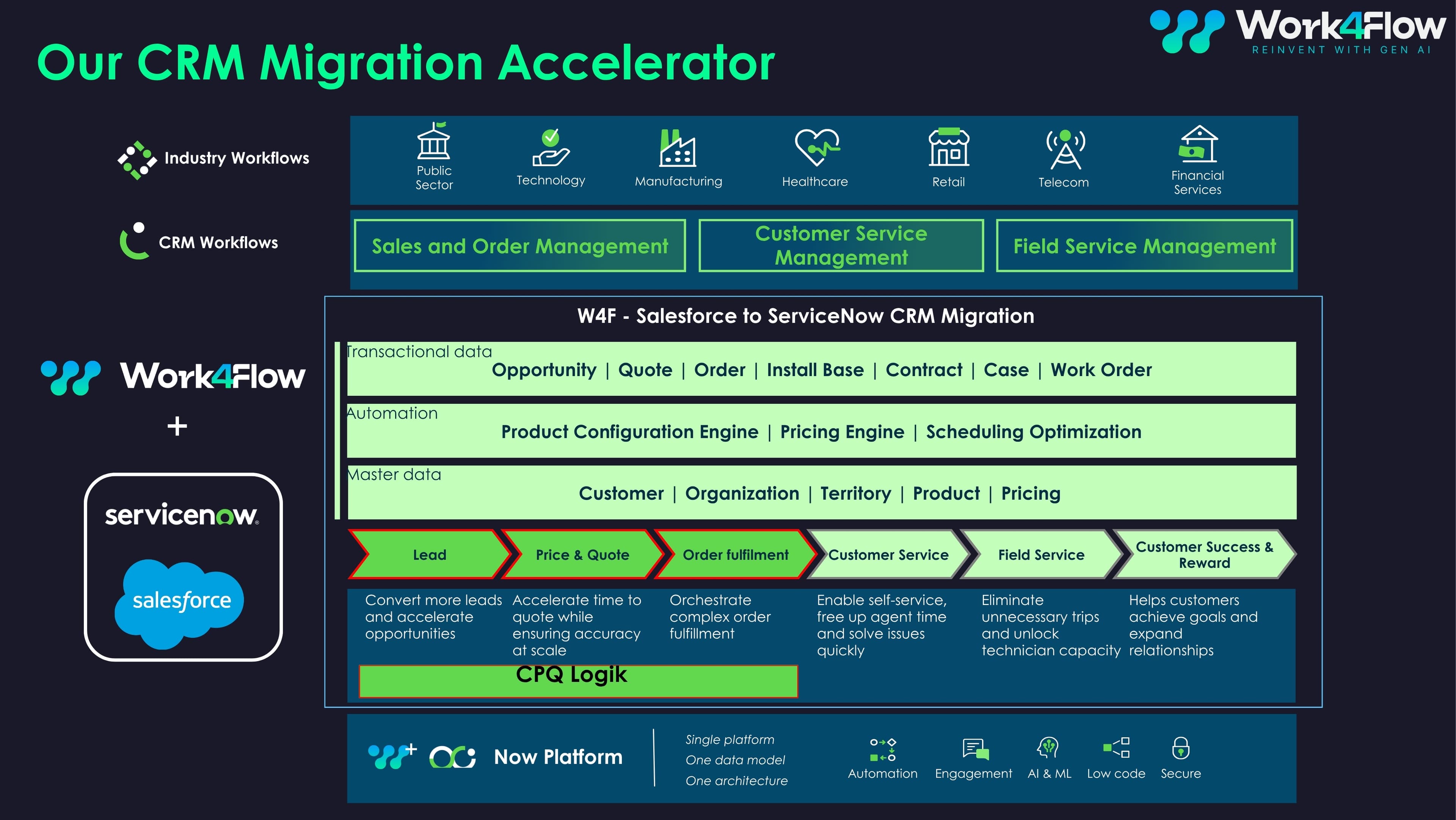
A difficult CRM migration rarely fails without warning. Problems involving applications, roles, tables, data, or security often exist before the first record moves. Salesforce CRM Migration helps you assess migration readiness, map Salesforce objects to ServiceNow target tables, and track the Salesforce to ServiceNow migration with visibility into every record that migrates, updates, or needs attention.
Salesforce CRM Migration Overview
Moving from Salesforce to ServiceNow involves more than transferring data from one system to another. Objects, custom fields, role-based access, integrations, and years of historical data all need to move into a new environment without creating problems for the teams that will use it.
Salesforce CRM Migration supports the data migration lifecycle inside ServiceNow. It helps assess migration readiness, map Salesforce objects to ServiceNow target tables, run the migration, and track what happens to every record along the way. It provides a more structured approach to how to migrate Salesforce data to ServiceNow without manual imports, without relying on spreadsheets to track issues once the move is underway.
Migration readiness assessed across applications, roles, tables, data, and security
Salesforce objects mapped to ServiceNow tables, with field mapping editable in the UI
Real time observability dashboard showing Migrated, Updated, Need Attention, and Ignored records
Guided flow from pre assessment through data optimization
Knowledge and Report objects supported alongside core CRM migration data
Many of the reasons behind why do CRM migrations take longer than planned are visible before execution begins. Finding them early is often the difference between working to a schedule and working from an estimate.
How Salesforce CRM Migration works
The migration follows four stages within a guided ServiceNow experience. Each stage establishes what needs to be completed before moving to the next.
Pre assessment
Check the target environment before moving Salesforce data. Plugins, roles, table structures, and security are reviewed to help identify what to validate before starting a Salesforce to ServiceNow migration.
Assessment
The self-assessment engine evaluates migration readiness across applications, roles, tables, data, and security. Categorized checklists help surface gaps, turning how to check if your ServiceNow instance is ready for a Salesforce migration into a more structured migration assessment rather than a workshop.
Execution
Salesforce objects are mapped to ServiceNow target tables, and the Salesforce to ServiceNow migration is executed. A scheduled job can pull object data into ServiceNow as needed, supporting how to keep Salesforce and ServiceNow data in sync during migration. Field mapping can also be updated directly in the UI during the migration, with changes reflected instantly in the backend logic.
Optimization
Once the data has moved, knowledge articles and Service Catalog items can be reviewed for redundant, outdated, or incomplete content. This data optimization stage helps address how to clean up catalog and knowledge content after a CRM migration before users begin working in the new environment.
Salesforce CRM Migration Key Features
Self assessment
Evaluate readiness across applications, roles, tables, data, and security in one place. The migration readiness assessment gives teams a clearer view of what needs attention before execution begins.
Checklists
Categorized checklists and validation logic help identify gaps early, addressing common issues behind why do Salesforce to ServiceNow migrations fail.
Validator
Detect missing or outdated plugins and resolve them with one click repair or install. For teams trying to understand what ServiceNow plugins are required for a Salesforce migration, the environment provides the answer rather than another checklist.
Sync
Use a scheduled job to pull Salesforce object data into ServiceNow target tables as needed throughout a phased CRM migration.
Guidance
A guided flow in the left navigation panel covers pre assessment, migration assessment, execution, and data optimization, giving teams a working answer to how to plan a phased Salesforce to ServiceNow migration.
Mapping
Update field mapping directly from the UI during the migration. Changes are reflected instantly in the backend logic, helping prevent how to change field mappings during a migration without a developer from becoming a bottleneck.
Objects
Map Salesforce objects to ServiceNow tables, including Knowledge and Report objects alongside core CRM records. This supports how to map Salesforce objects to ServiceNow tables without manually building every mapping from scratch.
Observability
Track migration activity through a real time observability dashboard showing Migrated, Updated, Need Attention, and Ignored records. It gives teams a way to understand how to track migration progress and failed records in ServiceNow while the CRM migration is underway.
Knowledge
Analyse existing knowledge articles, identify outdated or redundant content, and recommend improvements as part of the Salesforce to ServiceNow migration.
Catalog
Evaluate Service Catalog items, identify low quality or incomplete entries, and recommend improvements to catalog structure, content quality, and the overall user experience.
Agents
Monitor AI agents and workflows with usage and performance insights after the CRM migration.
Support
Access FAQs and Guided Setup within the application to help teams find answers while working through the migration.
Why a CRM migration gets harder as scope grows
A typical Salesforce environment can include Leads, Accounts, Contacts, Opportunities, custom fields, custom objects, role-based access, third party integrations, and years of historical data.
As the scope grows, so does the number of dependencies that need to be handled correctly. Objects need accurate mappings. Data quality issues can surface late, which is why how to validate data quality before migrating from Salesforce matters more than it may appear to at the start. Dependencies between users, roles, and records increase. Manual imports create more opportunities for errors and rework, while validation becomes slower and harder to manage.
Without a structured approach, a Salesforce to ServiceNow data migration can lead to delays, data issues, and operational disruption. That is also the practical side of how to reduce the risk of data loss during a CRM migration: fewer manual steps and fewer places for records to go missing.
Why migration observability matters
A CRM migration can become difficult to manage when teams lose visibility into four areas.
Readiness
Is the Salesforce data ready? Are the required ServiceNow plugins enabled? Are the table structures and roles compatible? What needs to be addressed first? Without a migration readiness assessment, these questions can remain unanswered until the migration is already underway.
Diagnosis
When issues appear after records have moved, identifying the cause can require manual investigation. Failed records may need to be processed again, adding time and reducing confidence in the migration. That is how to handle failed records during a CRM migration becoming a project of its own.
Metrics
Migration success and failure rates, object level progress, validation mismatches, and configuration gaps need to be visible if teams are going to manage the migration effectively. Without them, how to measure CRM migration progress and success rates has no answer anyone can defend in a steering meeting.
Risk
As inconsistencies grow, timelines can extend and rework can increase. The longer these issues remain unresolved, the greater the migration risk and the potential impact on adoption after go live.
Salesforce CRM Migration Benefits
Visibility
Track the Salesforce to ServiceNow lifecycle from readiness assessment through migration and post migration data optimization.
Preparation
Evaluate migration readiness before execution begins instead of discovering environment issues during the migration.
Accuracy
Validated field mapping and pre-checks help reduce the errors that can create additional rework.
Speed
A structured CRM migration process reduces manual effort and gives teams a clearer path through the migration.
Quality
Improve validation and help ensure data arrives in a form that can be used effectively in the target environment.
Stability
Identify issues earlier to reduce migration risk and the operational disruption that can come with a complex data migration.
ROI
A smoother Salesforce to ServiceNow transition can help teams start realizing value from the new platform sooner.
Frequently asked questions
It is a ServiceNow application that supports migration readiness assessment, data migration, and post migration optimization for a Salesforce to ServiceNow migration through one guided experience.
An import moves records. A CRM migration also needs to validate the target environment, map objects and fields correctly, handle dependencies between users, roles, and records, track what succeeded and what did not, and clean up the content people will use afterwards.
Yes. Knowledge and Report objects are supported alongside core CRM records.
It depends on data volume, object count, and how much remediation the assessment surfaces. The migration assessment is what turns that into an estimate you can plan against rather than a guess.
Roles, table structures, and security are reviewed during pre-assessment, so incompatibilities can be identified before records move rather than after.
Teams planning or managing a Salesforce to ServiceNow CRM migration, including platform owners, CRM leads, migration architects, and implementation partners.
A scheduled job pulls Salesforce object data into ServiceNow target tables, and Knowledge and Report objects are supported alongside core CRM records.
No. Field mapping can be updated through the UI during migration, with changes reflected instantly in the backend logic.
Through a real time observability dashboard showing records that are Migrated, Updated, Need Attention, or Ignored.
They appear in the observability dashboard under Need Attention, so they can be identified and addressed rather than discovered later.
Knowledge and Service Catalog content can be reviewed for outdated, redundant, or incomplete entries. The Agentic AI Optimizer can also monitor agents and workflows built on the migrated environment.
Yes. A Help Resources panel provides FAQs and Guided Setup for self assistance during the migration.
Know what needs attention before the CRM migration starts
Assess migration readiness, map Salesforce objects to ServiceNow target tables, and run the Salesforce to ServiceNow migration with visibility into every record.